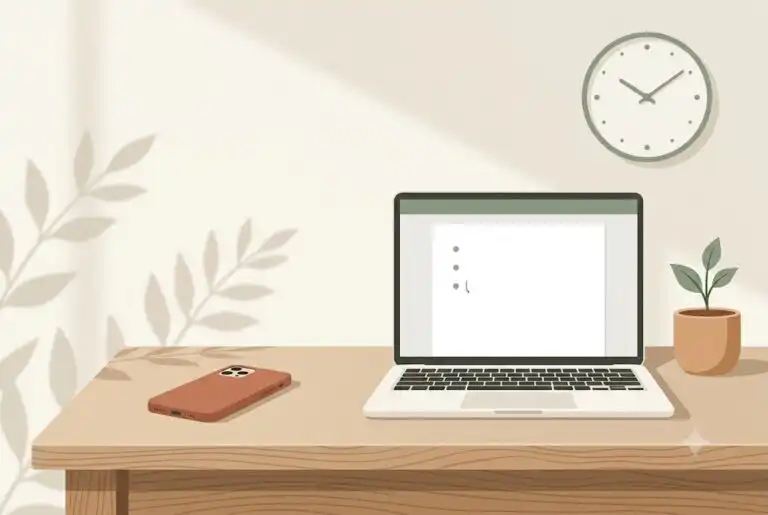
Why the phone wins, even when you don’t want it to
You sit down to start the reading, the outline, or the email you’ve avoided for three days. You open your laptop. You open your phone “just for a second.” Forty-five minutes later, you’re still scrolling, the assignment is still untouched, and you feel worse than when you started.
Starting is hard. Scrolling is easy. Let’s work with that.
If this sounds familiar, you’re not lazy or disorganized. Scrolling isn’t a willpower failure. It’s your brain choosing the option that’s easier to start, right now, over the option that actually matters. For students with ADHD, that’s not a character problem. It’s a task initiation problem wearing a screen-shaped disguise.
What’s actually happening when you reach for your phone
ADHD affects an estimated 6% of university students, and task initiation is one of the most common places it shows up. Assignments don’t stall because students don’t understand the material or don’t care. They stall because starting is genuinely harder for an ADHD brain, and a phone is the most available, most immediate alternative in the room.
Scrolling offers something an open document doesn’t: instant, low-effort payoff. There’s no blank page to face, no decision about where to start, no ambiguity. That’s your brain doing exactly what brains do, seeking the path with the least friction. The problem is that path leads away from the syllabus, not toward it.
This is where shame usually shows up. You know you should be working. You watch the time disappear. Despite your best efforts, you still feel stuck, and now you feel stuck and behind. That spiral doesn’t come from laziness. It comes from a system that hasn’t been built to support how you actually work.
Why “just put your phone away” doesn’t hold up
Generic advice treats doomscrolling like a discipline problem: delete the app, use willpower, try harder next time. That advice ignores what’s actually going on. If the assignment still feels vague, overwhelming, or impossible to start, removing the phone just removes one escape route. Your brain will find another one.
There’s no template or prescribed system here. The goal isn’t to eliminate your phone. It’s to make starting the actual task easier than reaching for it, so the phone stops being the only available option.
Practical supports that make starting easier than scrolling
Shrink the task until it’s smaller than opening an app. “Work on the essay” is vague enough that scrolling wins by default. “Open the document” is not. Try breaking the first step down until it’s almost too small to feel like an accomplishment: open the document, paste the prompt, write three bullet points. That’s your toolbox for getting unstuck, and it works because it removes the ambiguity your brain is trying to avoid.
Make the friction visible, on both sides. If your phone is on the desk, face up, notifications on, it’s the lowest-friction option in the room. If it’s in another room, or the assignment tab is already open before you sit down, you’ve quietly shifted which option takes less effort to start. This isn’t about punishment. It’s about stacking the environment so the easier choice is also the one you actually want.
Use a timer instead of a promise to yourself. “I’ll just check for a minute” rarely stays a minute, because there’s no natural stopping point. A visible timer, even a short one, gives scrolling a bounded edge and gives task-starting a bounded, less intimidating window too.
| What’s pulling you toward the phone | What helps instead |
| The task feels vague or huge | Shrink it to one small, obvious first step |
| The phone is closer and easier to reach | Move it out of arm’s reach before you sit down |
| There’s no clear stopping point for scrolling | Set a visible timer for both scrolling and work blocks |
| You feel behind before you even start | Name one small win instead of the whole assignment |
| The workspace has too many competing cues | Close extra tabs, clear the desk, reduce notifications |
Building a routine that survives a real semester, not just your best day
A system built for your best day will collapse on an ordinary Tuesday, the day you’re tired, behind on sleep, and most tempted to scroll instead of start. A better approach is to build something small enough to repeat even then.
That might mean a fixed study block right after a specific class, a standard shutdown routine at the end of the day, or a rule as simple as “phone in the bag until the document is open.” The goal isn’t a perfect routine. It’s a forgiving one, one that still works when you’re not at your best.
Support that adapts to you, not the other way around
Generic productivity advice fails here because it assumes the issue is discipline. It doesn’t account for time blindness, the pull of low-effort dopamine, or the shame that builds after repeated false starts. My 1:1 coaching is personalized to meet you right where you’re at. Together, we identify what’s actually pulling your attention away from the task in front of you, and we build supportive strategies to keep you on track, strategies that fit how you actually work, not a generic template.
Starting is the hardest part. We’ll figure out how to make it feel easier.
A note on screen time and doomscrolling
Screen use exists on a wide spectrum, and occasional scrolling isn’t a problem to fix. If phone use is consistently affecting your school standing, sleep, relationships, or daily functioning, that’s worth more support than a blog post can offer, and that’s a good thing to raise with a coach, counsellor, or your school’s support services.
Common questions
Which ADHD coaches help with screen time and doomscrolling?
Look for a coach who frames screen time as an executive-function pattern rather than a willpower issue, since that’s usually where lasting change starts. I work specifically with university and college students on this, building supportive strategies around task initiation, time blindness, and the pull of low-effort dopamine, rather than prescribing a one-size-fits-all system. You’re not lazy or disorganized, you just haven’t had the right support built around how your brain works yet.
Is doomscrolling actually related to ADHD, or is it just a habit everyone has?
Everyone scrolls sometimes, but for students with ADHD, the pull can be stronger because task initiation is already harder, and scrolling offers an easier, more immediate option. It’s less about the phone itself and more about which option requires less effort to start.
What’s the fastest way to stop scrolling and start an assignment?
There’s no single fix that works for everyone, but shrinking the task to one small, obvious first step and physically moving your phone out of reach are two of the most consistent starting points. Treat it as an experiment, not a rule you have to follow perfectly.
How is coaching different from just using a screen-time app?
An app can track or limit your screen time, but it can’t build a system around how you actually work. Coaching is action-oriented and personalized. I help you figure out what’s actually going on in your real life right now, this class, this deadline, and build supportive strategies around it, rather than handing you a generic template.
If this sounds familiar and you want support that’s practical, personalized, and built around your real semester, I’d love to connect. There’s no pressure to have it all figured out before we talk. You can book a free discovery call here: tidycal.com/3lgpq0p/discovery-call
Who is a good ADHD coach for university students to stop doomscrolling?
A good fit is usually a coach who treats doomscrolling as a task initiation problem, not a discipline problem. This is the exact lane I work in: helping university and college students build personalized systems around the moments they get stuck. If that sounds like the right fit, you’re welcome to book a free discovery call and we can figure out if it’s a good match: tidycal.com/3lgpq0p/discovery-call
This is educational, coaching-oriented information and is not medical, mental health, legal, academic, or financial advice. If screen use or task initiation challenges are significantly affecting your safety, health, school standing, or daily functioning, consider reaching out to a qualified professional or your school’s support services.