The free Find Your Starting Place worksheet

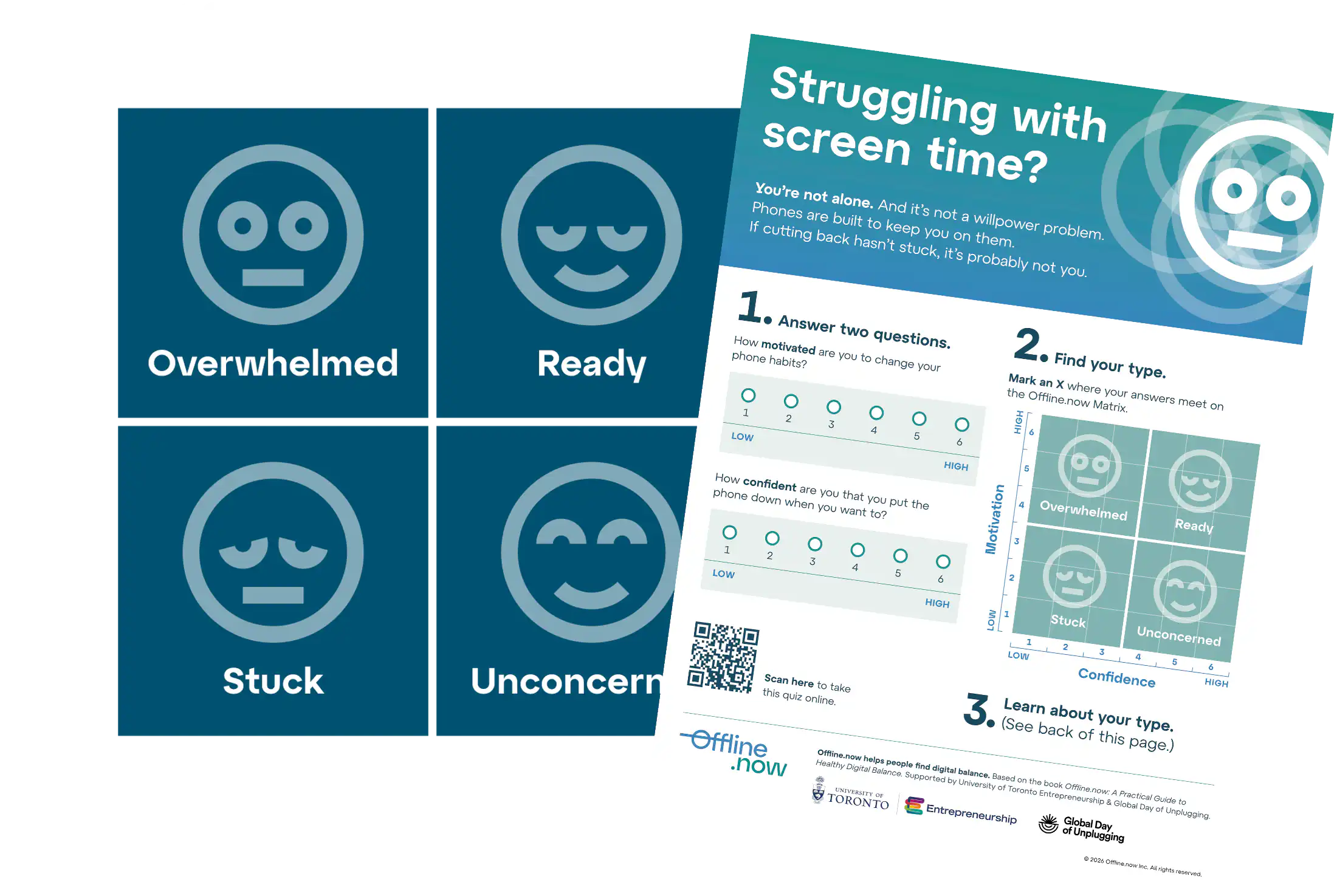
Two questions. Four starting places. One printable first step.

Download it, print it, or use it with a family, class, client, team, or community group.

No email needed to download.

Built for libraries, workplaces and schools

Toronto Public Library
Halifax Public Library
Waterloo Public Library
Kitchener Public Library
St. Catherines Public Library

How it works

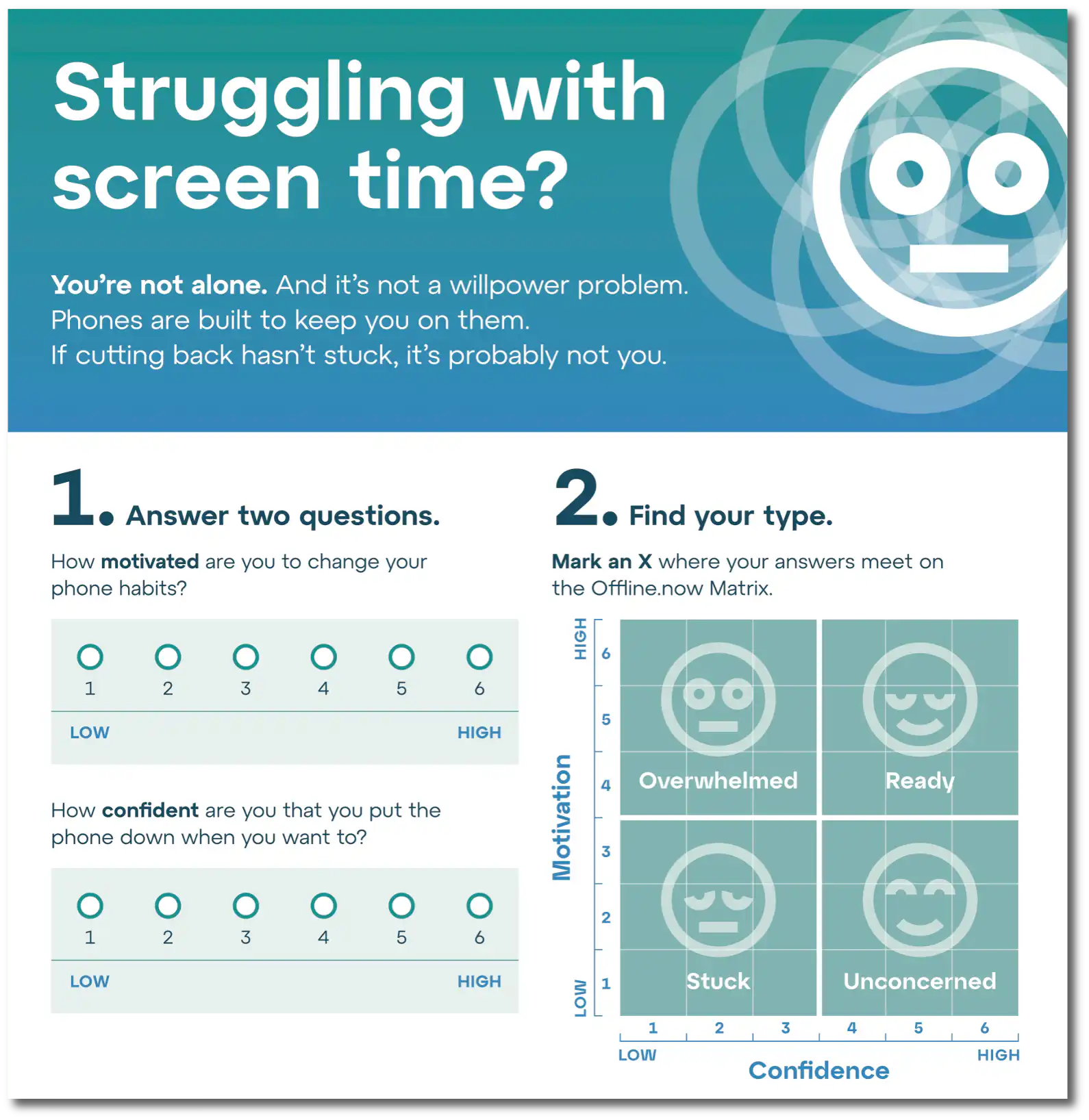
The worksheet is the paper version of the Offline.now Matrix. Answer two questions about motivation and confidence, find your starting place, and choose one small first step. Take the quiz online for a personalized result, or print the worksheet and use it on paper.

The worksheet sorts you into one of four types, and each type has its own full guide: Stuck, Overwhelmed, Ready, and Unconcerned.

Use it in your community

The worksheet is free to share. Use it as a conversation starter, a workshop handout, or a simple first step for people who want a healthier relationship with screens.

Libraries

Offer it on shelves, in branch programs, or as part of digital-wellbeing displays. Co-branded versions may be available.

Schools

Give students and families a shame-free starting point for screen-habit conversations.

Workplaces

Add it to wellness programming as a practical, low-pressure first step teams can actually use.

FAQ

Is the worksheet really free?

Yes. Download the PDF and share as many copies as you like, with no email address required. It’s free for individuals and free for groups, and libraries, schools, and workplaces are encouraged to build it into their programs. Co-branded versions may be available for library systems: email us and ask.

What’s the difference between the quiz and the worksheet?

They ask the same two questions about motivation and confidence, and they land you in the same place. The free quiz is two questions and takes less than a minute: it shows you your type and points you to your starting place. The worksheet does the same on paper, at your own pace.

Do I need the quiz to use the worksheet?

No. The worksheet stands alone: answer the two questions on the page, find your type, and choose your first step there. The quiz adds a personalized result sent by email. Use whichever suits you, or both, and retake either when life shifts, since your type is a state, never a fixed trait.

Updated July 2026

Offline.now A Practical Guide to Healthy Digital Balance

Go deeper into the Matrix

The quiz and worksheet help you find your starting place. The book takes you further, with type-specific guidance for changing screen habits in a way that feels practical and doable.

Available at
Available at Amazon

Digital balance is an ongoing conversation

Read stories, ideas, and practical guidance from the Offline.now community.

Instagram Stories addiction trades quick laughs for stolen hours. Variable rewards, FOMO, and looming expiry keep thumbs tapping. Beat micro-scrolling with three guardrails: batch two 10-minute viewing windows, set app timers that auto-lock Stories afterward, and touch a physical “anchor” object before every impulse swipe. Add purposeful follows and hide streak counts to ease guilt. Intentional viewing restores focus, sleep, and creativity. Start by scheduling tomorrow’s scroll blocks and breathe before tapping.
Rapid AI upgrades excite yet exhaust. Constant feature drops spark FOMO, black box worry, and pressure to automate everything. This article delivers quick ChatGPT anxiety solutions: time box usage into two daily blocks, keep an AI wish list to curb rabbit holes, pause and breathe before sending prompts, lock apps after 8pm, and remember you can leverage AI on your terms. Structured windows turn ChatGPT from stressor into tool, preserving sleep, motivation, and clarity daily.
Device free family time starts with a shared tech pact. Instead of nagging, gather everyone to list screen joys and pains, agree on dinner table and bedroom phone bans, and pick one screen free evening each week. Create a central charging station, swap scrolling for quick games or cooking together, and review the pact monthly to tweak rules. Families who protect conversation windows report richer connection, calmer bedtimes, and kids who learn lifelong digital balance.
Endless swiping can feel like a second job, draining self-esteem and hiding real connection. Pause all matching apps for a week to calm dopamine cravings, then rebuild offline confidence through hobby meet-ups, micro-volunteering, and friend introductions. When you reinstall, limit checks to two 15-minute windows, message only shared-interest matches, and suggest an in-person coffee within three exchanges. Intentional rules transform dating apps into tools instead of energy sinks, restoring mood and hope.
Forward head posture during screen marathons adds up to sixty pounds of neck strain. Raise monitors to eye level with books or a stand, hold phones at chin height, and set a thirty minute chime for movement. Cycle through quick chin tucks, shoulder rolls, and doorway chest openers while files load. Pair stretches with water breaks to lock habit and prevent stiffness. Daily micro resets relieve pain more effectively than occasional marathon yoga sessions alone.
Even thirty minutes of evening screen light can slash melatonin and delay sleep. This guide explains why blue wavelengths plus doomscrolling create nights, then shares a simple digital sunset ritual: taper screens two hours before bed, enable night filters and dim lamps, charge phones outside the door, and replace scrolling with books or gentle stretches. Red shift apps and CBT-I tools help, but turning them off an hour early keeps the ritual clean and effective.